Conceptual Modeling
Say what the business means, before you say how it is stored
A logical data model answers how information is structured: which entities exist, which attributes they carry, what datatype each one has. That is the right level for generating something, but it is the wrong level for agreeing with the business what you are even talking about.
A conceptual data model answers the earlier question. It names the things the business cares about and how they relate, and it stops there. Its attributes deliberately have no datatypes, no lengths and no identifiers, because none of that is decided yet. A concept is not a half-built logical entity; it is a different kind of statement.
The two are then linked. A logical entity declares which concept it realizes, so you can look at a warehouse table and trace it back to the business idea behind it, or start from a concept and ask which physical structures implement it.
In this tutorial you will build a small conceptual model for BrightGreen Electronics and connect the existing data warehouse model to it.
What you will learn
- Creating a conceptual data model and how it differs from a logical one
- Adding conceptual entities, attributes and relationships
- Declaring a dependency so one model can reference another
- Linking logical entities and attributes to the concepts they realize
Before you start
This tutorial assumes you have completed Datamodeling Fundamentals, or are at least comfortable with the Model Explorer and the form editor.
Clone the BrightGreen workspace as described in Getting the workspace for a tutorial. It already contains the Example DWH logical model, which you will link to your concepts in the last step.
Want to see the finished result?
Clone examples → data-modeling → conceptual into a second workspace to compare your
work against the completed model.
The scenario
BrightGreen's data warehouse has grown organically. There is a Customer entity in the
warehouse, another in the webshop source system, and a third in the finance package. Everyone
agrees they are "customers", and nobody has written down what a customer actually is for
BrightGreen, or how that idea relates to an order.
You have been asked to capture that shared vocabulary as a conceptual model, and to record which warehouse structures realize which concept.
Exercise one: build the conceptual model
1 - Create a conceptual data model
In the Model Explorer, use the New Data Model... button in the toolbar.
In the form that appears, set:
| Field | Value |
|---|---|
| Name | BrightGreen Concepts |
| Type | Conceptual |
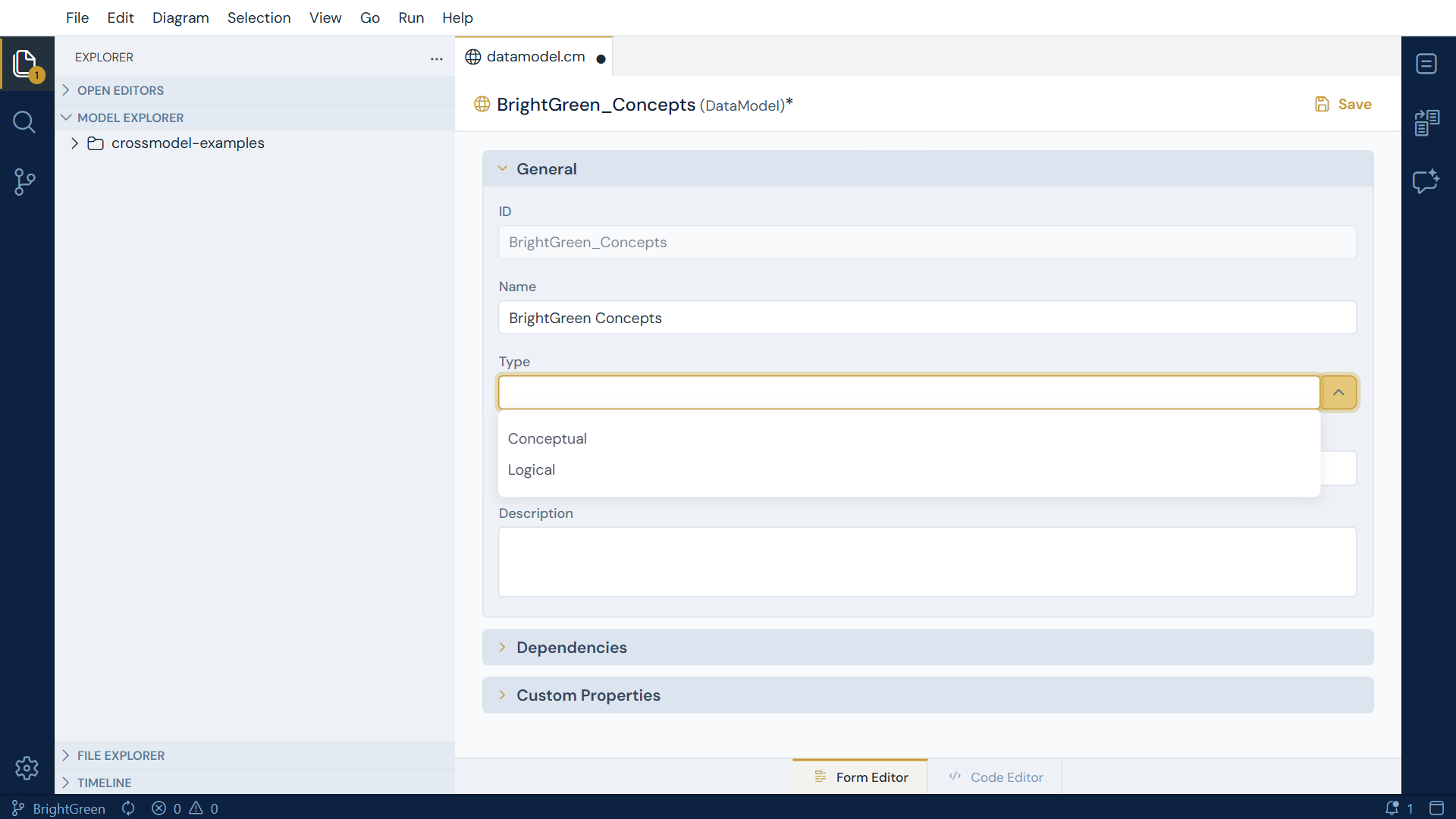
Save with ++ctrl+s++.
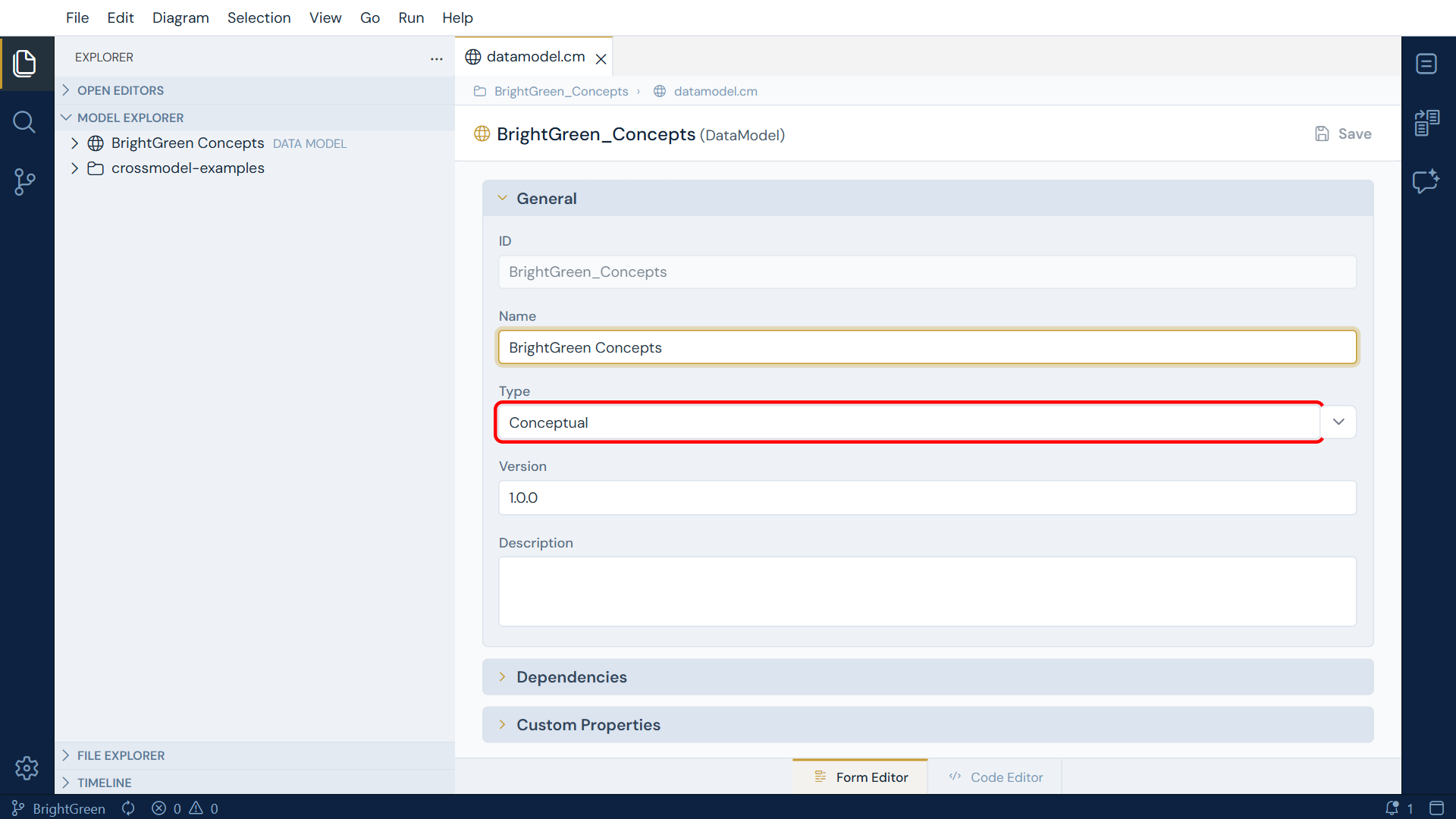
The Type dropdown is the whole decision. Picking Conceptual tells CrossModel that everything inside this model is a concept, and the application adapts accordingly: the objects you can create, the fields on their forms, and the file extension all follow from it.
Conceptual files use the .ccm extension
A logical entity is stored as Customer.entity.cm; a conceptual one as
Customer.entity.ccm. The extra c is what tells CrossModel to read the file as a
concept rather than as a logical entity, which is why you never need a different keyword
inside the file itself.
2 - Add the Customer concept
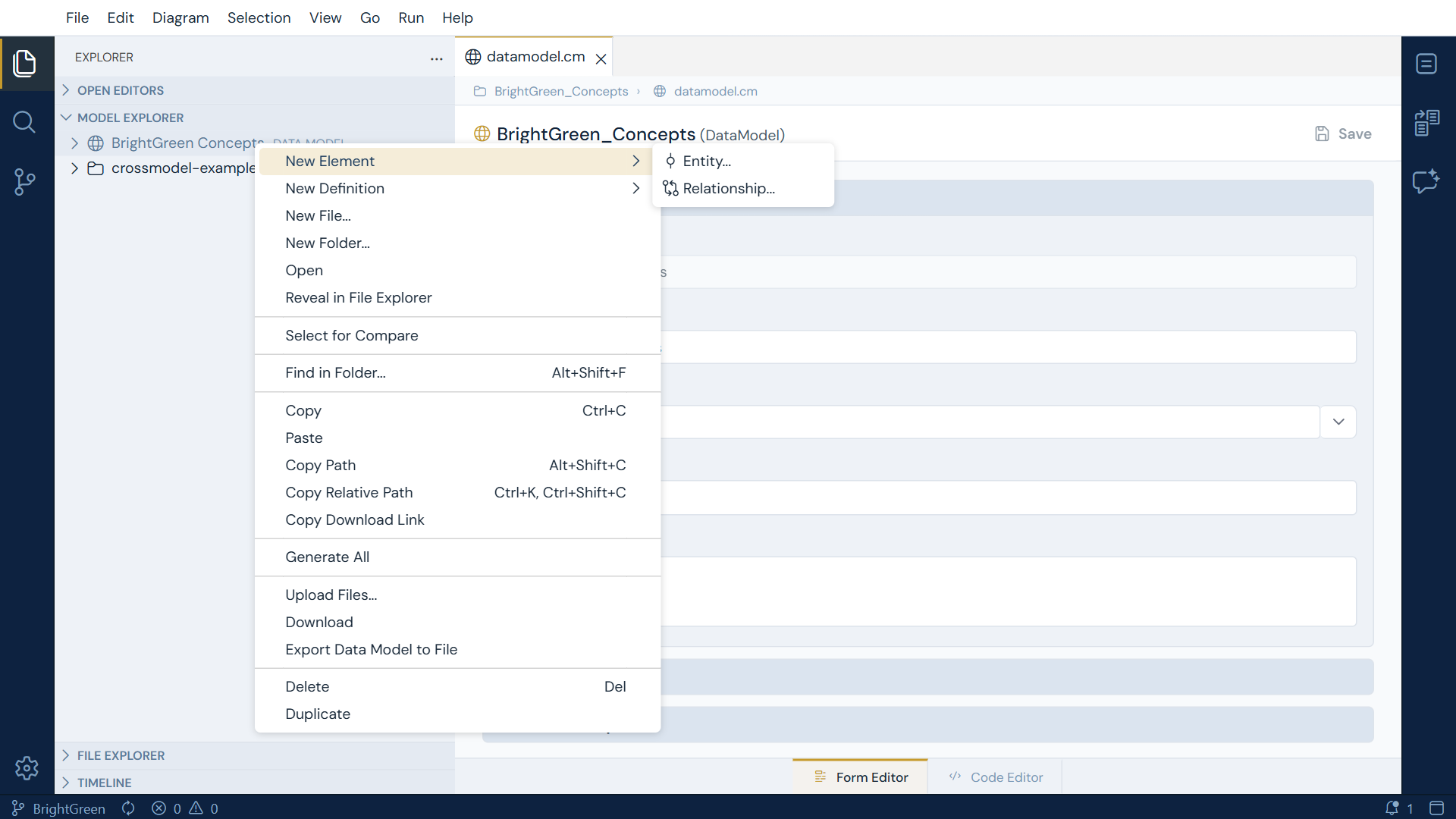
Right-click your new data model and choose New Element → Entity....
Notice what that submenu offers: Entity... and Relationship..., and nothing else. In a logical model the same menu also offers Mapping and System Diagram. The menu is filtered by the kind of model you are in, so you cannot accidentally create something that has no meaning at the conceptual level.
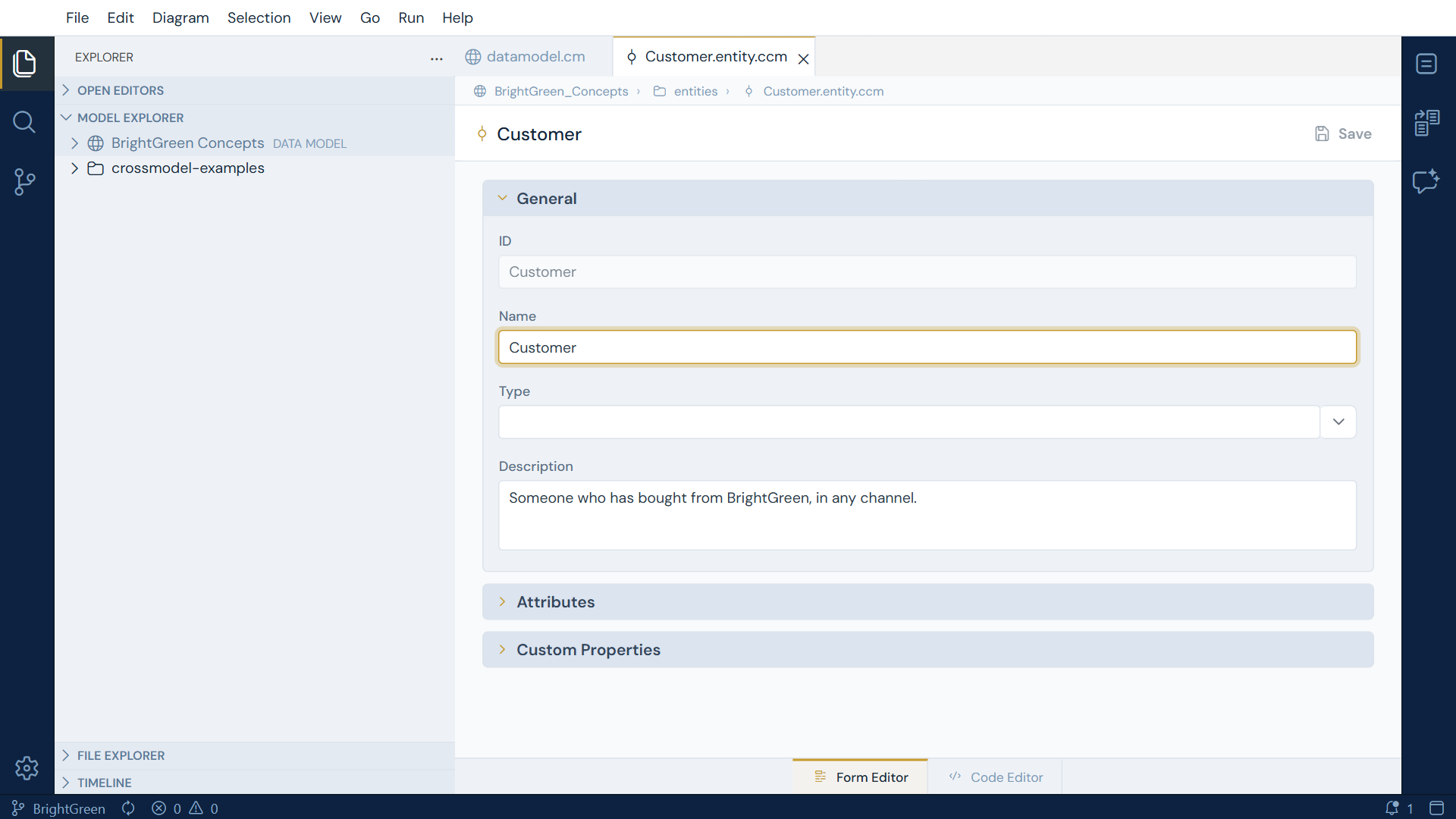
Name the entity Customer and give it a description such as
"Someone who has bought from BrightGreen, in any channel." Save.
3 - Add attributes, and notice what is missing
Expand the Attributes section and press Add Attribute. Add two:
| Name | Description |
|---|---|
Customer Name |
The name the customer is known by |
Contact Details |
How BrightGreen reaches the customer |
The grid has columns for Name, Type and Description. Compare that with a logical entity, where the same grid also carries Datatype, Length, Precision, Scale and the identifier and mandatory flags.
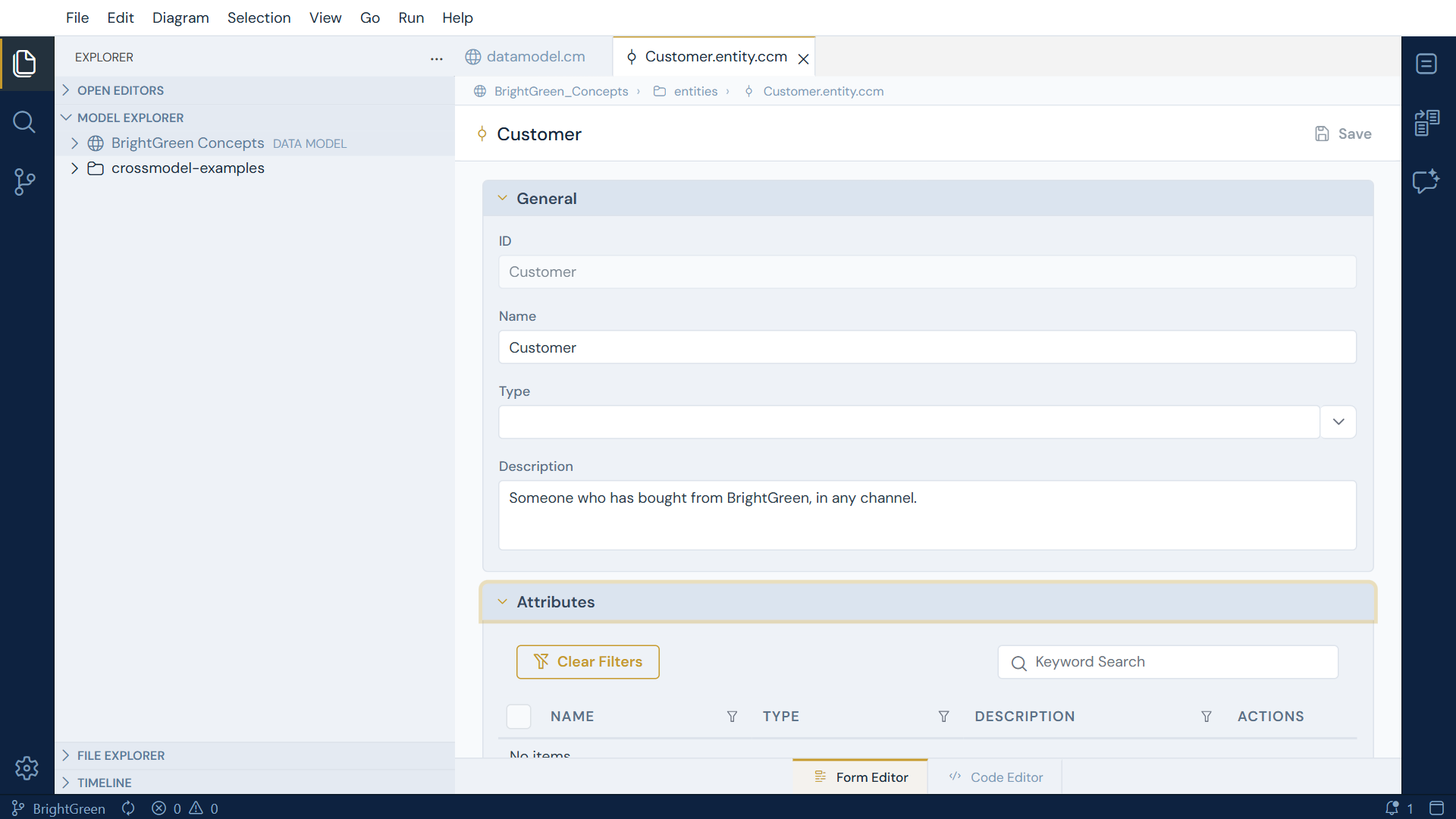
That absence is the point. Whether a customer name is a VARCHAR(100) or a TEXT is a
logical decision, and making it here would be pretending to know something you have not
decided yet.
Type means type definition, here as everywhere else
There is a Type column on a conceptual attribute, and it is not a stand-in for the missing datatype. It is the same field a logical entity, a relationship or a data model carries: a reference to an object definition that supplies extra properties and house standards. Leave it empty until you have definitions worth pointing at.
4 - Add the Order concept
Repeat step 2 for a second entity:
| Field | Value |
|---|---|
| Name | Order |
| Description | Something a customer asked BrightGreen to supply |
Give it one attribute, Order Reference.
5 - Relate the two concepts
Right-click the data model again and choose New Element → Relationship....
The form opens with a placeholder name, <Parent> to <Child>, and two collapsible sections,
Parent end and Child end. Each holds three fields: the entity itself, a role, and a
cardinality.
Fill them in like this:
| Section | Field | Value |
|---|---|---|
| Parent end | Parent | Customer |
| Parent end | Parent Cardinality | 1..1 |
| Child end | Child | Order |
| Child end | Child Cardinality | 0..N |
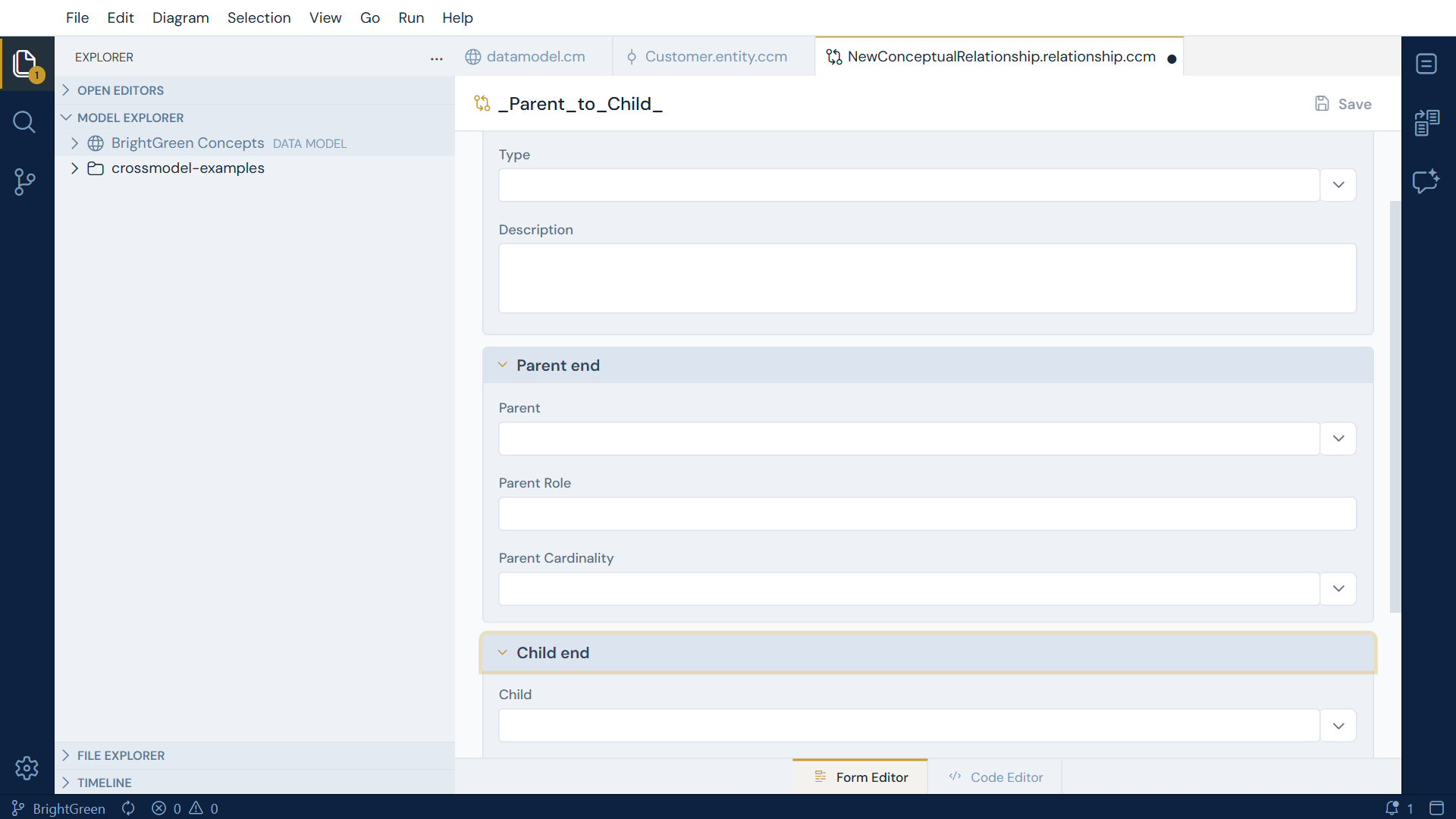
Read together, that says a customer places zero or more orders and an order belongs to
exactly one customer. The Role fields are free text for when the plain entity names do
not carry enough meaning, for example a parent role of places.
Notice what the form does not offer: anywhere to say which attribute joins to which. A logical relationship needs that, because it has to resolve to a real join. Concepts relate as wholes, and the join columns are a logical concern.
You now have a small, complete conceptual model: two concepts and the relationship between them.
Exercise two: connect the logical model to the concepts
A vocabulary nobody references is just a document. The value appears when the warehouse can point at it.
6 - Declare the dependency
Open the Example DWH data model, expand Dependencies, and press Add Dependency.
Choose BrightGreen Concepts and version 1.0.0. Save.
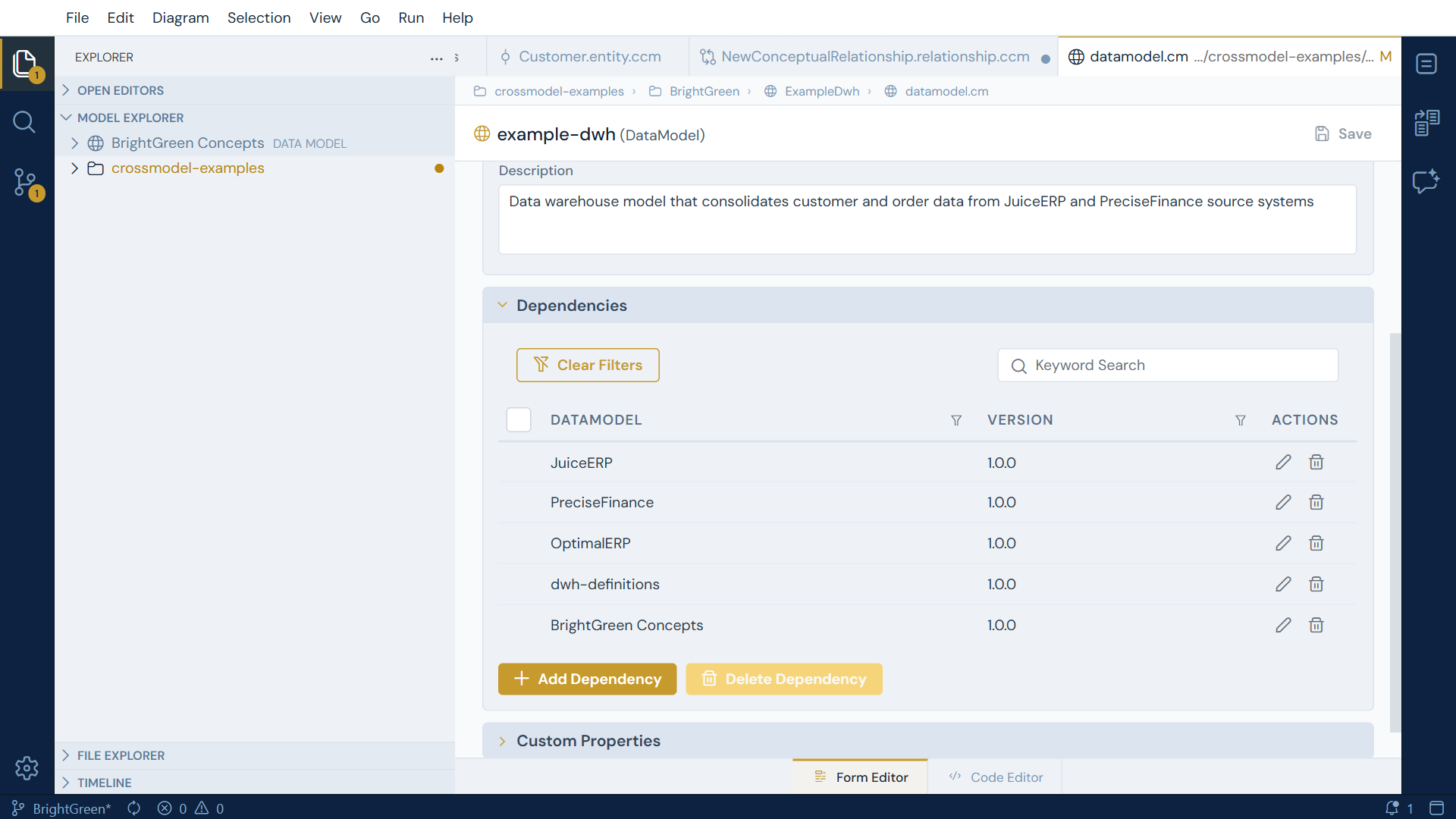
This step is easy to skip and impossible to work around, so it is worth understanding rather than just performing.
CrossModel will not let one model reference another that it has not declared a dependency on.
Until this dependency exists, the Realizes field in the next step is an empty dropdown
with nothing to choose, which looks like a broken control but simply means nothing is in
scope. The same mechanism is why Example DWH's entities can already use
type: dwh-definitions.Formal_entity: that model is in its dependency list too.
The empty-dropdown rule
Any CrossModel dropdown that references another object is populated from what the current model can see: its own contents, plus everything reachable through its declared dependencies. An empty dropdown almost always means a missing dependency rather than a missing feature.
7 - Record what the warehouse realizes
Open the Customer entity in Example DWH. Its form now has a Realizes field directly
under Type. Set it to your conceptual Customer.
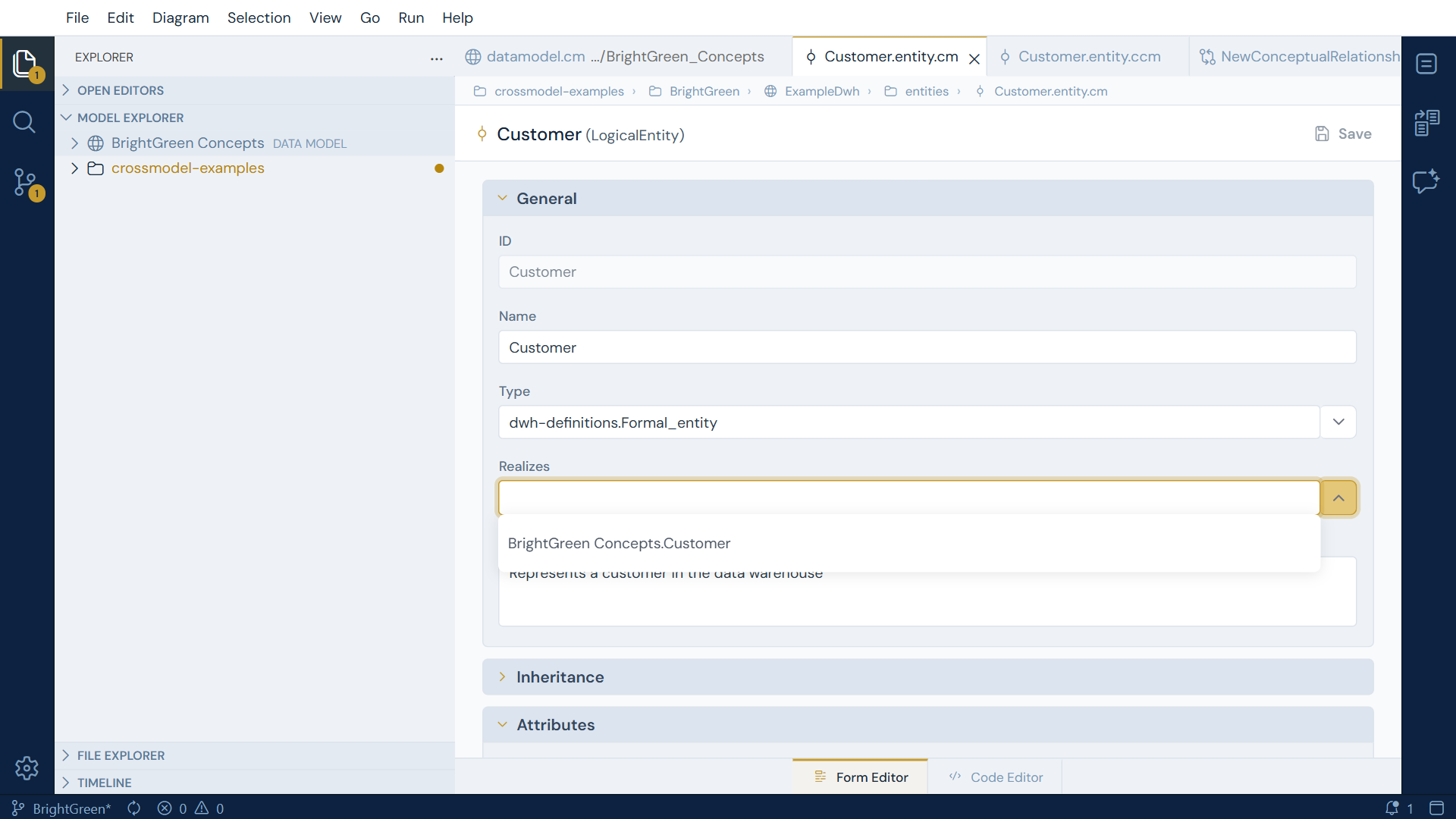
The dropdown now has something in it, which is the dependency doing its job.
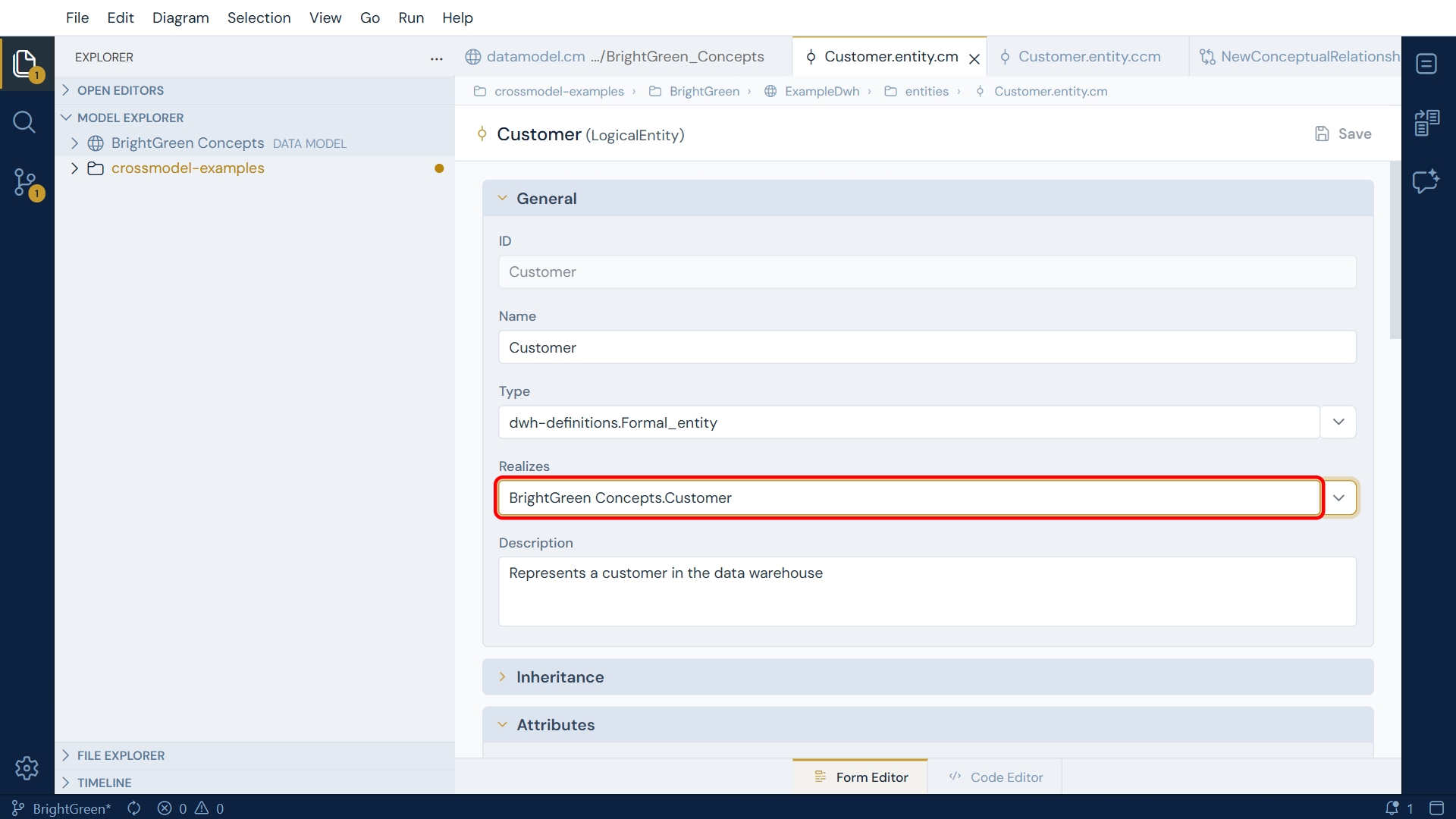
Realizes exists at both levels, so do the same one level down: open the Name attribute and
point it at the Customer Name concept attribute.
Pick the attribute that genuinely corresponds. Id is a surrogate key the warehouse invented
for itself, and it realizes nothing - no concept ever asked for it. Leaving it unlinked is the
correct answer, and a useful one: the attributes with no counterpart are exactly the ones that
exist for technical reasons rather than business ones.
References are qualified by the data model they come from, so what gets written is
BrightGreen_Concepts.Customer for the entity and
BrightGreen_Concepts.Customer.CustomerName for the attribute.
The form and the file spell it differently
The form shows BrightGreen Concepts.Customer and the file stores
BrightGreen_Concepts.Customer. Nothing is wrong: the form displays the model's name
and the file records its id. Which one you see is controlled by the display-label
setting described in
the user interface article.
Note the direction. The link lives on the logical side, pointing up at the concept. That
is deliberate: one concept can be realized by many logical entities, which is exactly
BrightGreen's problem. The webshop Customer, the finance Customer and the warehouse
Customer can all realize the same idea, and "which structures implement this concept" is
then a question you can answer.
If you hand-edit the code editor, field order matters
Everything above is easiest in the form editor, which writes fields in the order the
model expects. If you switch to the Code Editor and add realizes to an attribute by
hand, it has to sit after description and before datatype. Put it further down and
the file fails to parse with Expecting token of type 'DEDENT' but found 'realizes',
which does not hint that position is the problem.
Wrapup
You have built a conceptual model and connected a logical model to it. The vocabulary now lives in the workspace rather than in someone's head, and each warehouse structure records which idea it implements.
The pieces you used are worth naming, because they recur:
- Type on a data model decides which tier you are working in, and everything else follows from it.
- Dependencies decide what a model can see. Empty reference dropdowns are almost always a missing dependency.
- Realizes links logical to conceptual, at both entity and attribute level, and always from the logical side.
Conceptual models are edited in forms, not diagrams (as of v1.10.0)
Conceptual models are authored through the Model Explorer and the form editor. A diagram canvas for the conceptual tier is planned for a future release; when it arrives, this tutorial will gain a section on it. Logical models have had a system diagram all along.
Where to go next
- Extending the Metamodel with Type Definitions explains the Type field you left empty, and how a definition can supply properties and derive names.
- Mapping Fundamentals moves from what the data means to how it flows.