A conceptual model linked to a logical one
What this example shows
What a finished conceptual data model looks like, and how a logical model records which concepts it realizes.
It is the end state of Conceptual Modeling. Clone it if you want to see where that tutorial lands before - or instead of - doing it.
Branch: examples → data-modeling → conceptual
What's in the workspace
On top of the BrightGreen base, this example adds a BrightGreen Concepts data model of type
Conceptual, and modifies Example DWH to point at it.
| Object | What it demonstrates |
|---|---|
BrightGreen Concepts (data model) |
A data model whose Type is Conceptual rather than Logical |
Customer (concept) |
A conceptual entity: name, description and attributes, and nothing about storage |
Order (concept) |
A second concept, so the relationship has two ends |
Customer to Order |
A conceptual relationship with roles and cardinalities, and no join columns |
Example DWH dependency |
The declared dependency that brings the concepts into scope |
Example DWH → Customer |
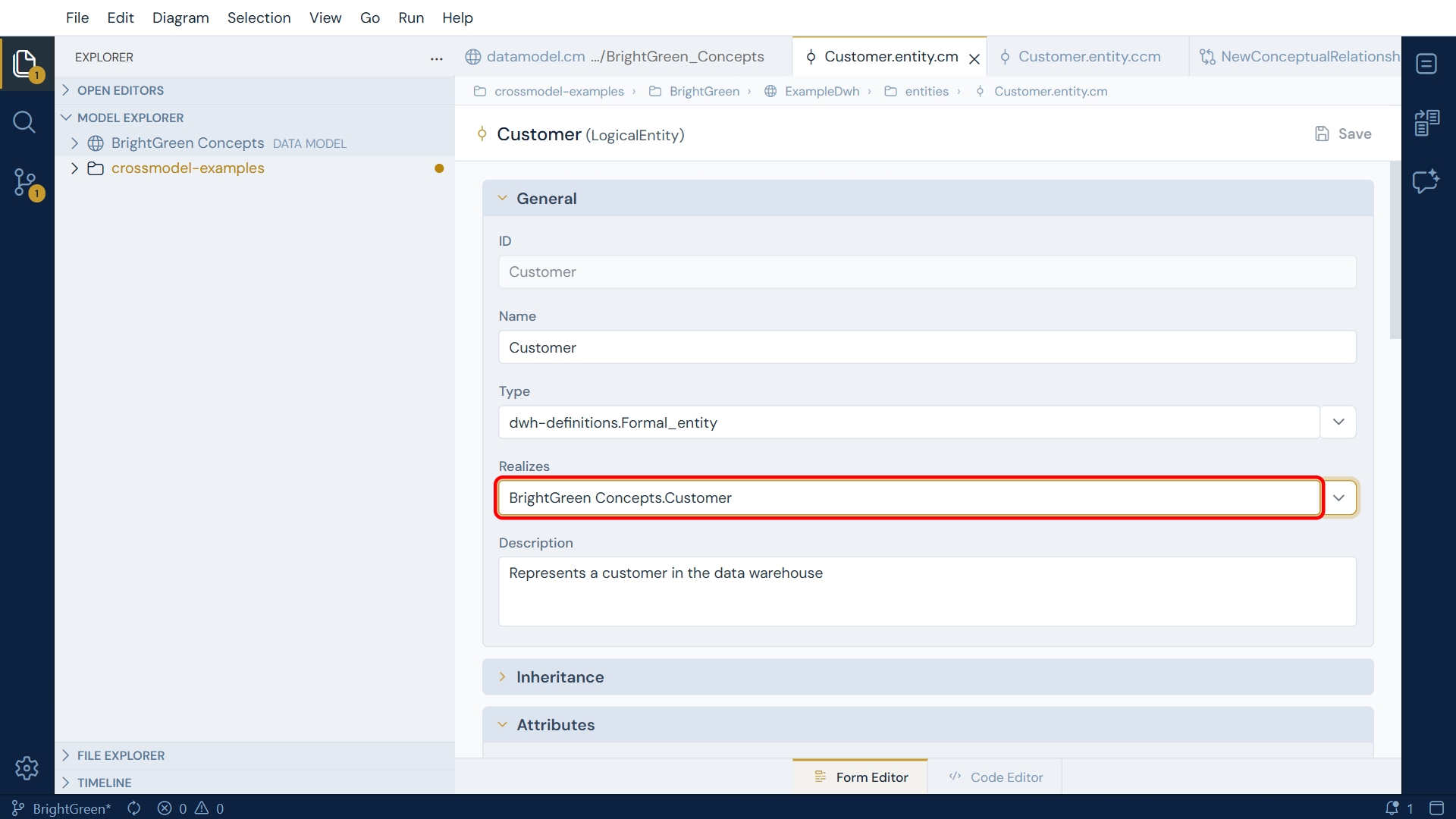
A logical entity whose Realizes points at the Customer concept |
What to look at
-
Open a concept and a logical entity side by side. The conceptual
Customerhas Name, Type and Description on its attributes. The logicalCustomerinExample DWHhas Datatype, Length, Precision, Scale and the identifier and mandatory flags as well. The difference is the whole point of the tier: a concept says what something is, and stops before saying how it is stored. -
Look at the file extensions. Conceptual objects are
.entity.ccmand.relationship.ccm; logical ones are.entity.cm. The extension is what routes the file to the conceptual grammar, which is why both can keep the sameentity:keyword inside. -
Read
Example DWH's dependency list.BrightGreen Conceptssits alongsideJuiceERP,PreciseFinance,OptimalERPanddwh-definitions. That single entry is what makes the concepts selectable in the Realizes dropdown. Remove it and the dropdown goes empty, which is the most common reason a reference field appears broken. -
Follow the direction of
realizes. The link is stored on the logical entity, pointing up at the concept, never the other way round. That is what lets several logical entities in different source systems realize the same concept, which is the situation this example is built around. -
Check the qualified reference in the code editor. The logical
Customercarriesrealizes: BrightGreen_Concepts.Customer. References across models are always qualified by the data model id, which is why the dependency has to exist first.
No conceptual diagram yet (as of v1.10.0)
Conceptual models are authored through the Model Explorer and the form editor. A diagram canvas for the conceptual tier is planned for a future release. The logical models in this workspace do have system diagrams, so you can compare a drawn model with a form-only one.
Related
- Conceptual Modeling - the tutorial that builds this
- A logical data model built from scratch - the same BrightGreen material at the logical tier
- Extending the Metamodel with Type Definitions - what the Type field on a concept is for